
Bug Life Cycle in Software Testing: Stages, Examples, and Best Practices
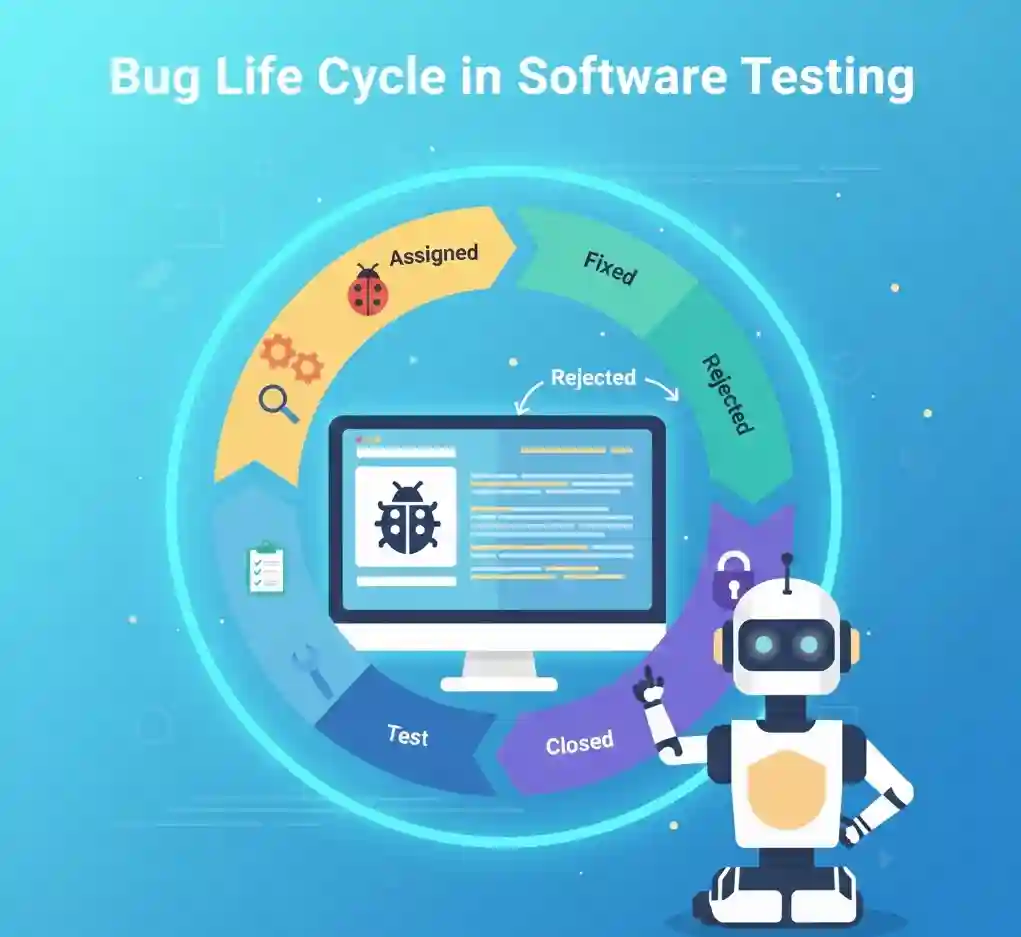
In software testing, identifying bugs is only the beginning. What happens after a bug is found is just as important as finding it. This entire journey of a bug—from discovery to closure—is known as the bug life cycle in software testing.
Understanding the bug life cycle in software testing: stages, examples, and best practices helps testers work efficiently, communicate clearly with developers, and ensure high-quality software delivery.
What Is a Bug in Software Testing?
A bug is an error, flaw, or defect in software that causes the application to behave differently from expected results. Many beginners search for what is bug in testing or bug definition in software testing to understand this core concept.
A bug can appear due to incorrect logic, missing requirements, coding mistakes, or integration issues. Identifying and managing bugs correctly is a critical responsibility in testing.
- A bug causes incorrect or unexpected behavior
- Bugs impact functionality, usability, or performance
- Bugs must be tracked, fixed, and verified
- Bug management improves software reliability
What Is a Defect in Software Testing?
In testing terminology, a defect refers to a deviation from expected behavior. Many people use the terms bug and defect interchangeably, but they are often used differently depending on context.
Understanding what is defect in software testing helps testers communicate more clearly within teams.
- A defect is usually identified during testing
- A bug is often reported by testers or users
- Both follow a structured life cycle
- Defects are tracked until closure
This brings us to the concept of the defect life cycle.
What Is the Bug Life Cycle in Software Testing?
The bug life cycle in software testing describes the different stages a bug goes through from the moment it is detected until it is closed. It is also known as the defect life cycle or bug cycle.
Many learners search for what is bug life cycle in software testing because it is a fundamental testing concept.
- Defines how bugs are handled step by step
- Ensures accountability across teams
- Improves communication between testers and developers
- Helps track bug status clearly
What Is the Defect Life Cycle in Software Testing?
The defect life cycle in software testing follows a similar concept to the bug life cycle. Some organizations prefer the term defect instead of bug, but the process remains largely the same.
Understanding the defect life cycle in testing is important for both manual and automation testers.
- Defects are logged, assigned, fixed, and verified
- Each defect has a defined status
- Lifecycle ensures structured bug resolution
- Prevents unresolved or ignored issues
What Are the Different Stages of the Bug Life Cycle in Software Testing?
The bug life cycle in testing consists of multiple clearly defined stages. These stages help teams track the progress of a bug until it is fully resolved.
Knowing what are the different stages of defect life cycle is essential for interviews and real projects.
- Each stage reflects the current status of a bug
- Stages ensure transparency in testing
- Helps prioritize and manage defects
- Improves team coordination
Stage 1: New (Bug Identified)
The first stage begins when a tester identifies a defect while testing the application. At this point, the bug is logged into a defect tracking tool.
This stage marks the start of the bug detection life cycle in software testing.
- Bug is discovered during testing
- Tester logs bug with details
- Status is marked as “New”
- Bug awaits review
Stage 2: Assigned
Once logged, the bug is assigned to the development team or a specific developer. Assignment ensures ownership of the issue.
This stage connects testers and developers in the bug life cycle.
- Bug is assigned to a developer
- Priority and severity are reviewed
- Developer analyzes the issue
- Fix planning begins
Stage 3: Open / In Progress
In this stage, the developer starts working on fixing the defect. The bug status changes to Open or In Progress.
This is a critical stage in the bug cycle in software testing.
- Developer investigates root cause
- Code changes are applied
- Fix is implemented
- Bug remains open until resolved
Stage 4: Fixed
After resolving the issue, the developer marks the bug as Fixed. The fix is then deployed to the testing environment.
This stage does not mean the bug is closed yet.
- Code fix is completed
- Bug status changes to Fixed
- Build is shared with testing team
- Bug moves back for verification
Stage 5: Retest
The tester retests the application to verify whether the bug has been fixed correctly. This is a key validation step.
Retesting ensures that the fix works as expected.
- Tester executes related test cases
- Bug behavior is verified
- No new issues introduced
- Decision made to close or reopen
Stage 6: Closed
If the fix works as expected, the tester marks the bug as Closed. This indicates the successful completion of the bug life cycle.
This is the final stage in the bug life cycle.
- Bug is verified successfully
- Status is updated to Closed
- No further action required
- Bug life cycle ends
Other Common Bug Statuses You Should Know
Apart from main stages, there are additional statuses used in real projects. These help manage special scenarios in the bug defect life cycle.
- Reopened – Bug reappears after fix
- Rejected – Bug is not valid
- Duplicate – Bug already exists
- Deferred – Bug postponed to later release
- Not a Bug – Expected behavior
Bug Life Cycle Example (Real-Time Scenario)
Understanding theory is easier with examples. Let’s look at a simple login page example to understand the bug life cycle in software testing tutorial style.
- Tester finds login failure issue
- Bug is logged as New
- Assigned to developer
- Developer fixes the issue
- Tester retests login
- Bug is closed
This example mirrors real project workflows.
Bug Life Cycle in JIRA
In many organizations, bugs are tracked using JIRA. Understanding the bug life cycle in JIRA helps testers work confidently in real environments.
JIRA workflows are customizable but usually follow standard stages.
- New
- In Progress
- Fixed
- Retest
- Closed
Similarly, the defect life cycle in JIRA follows the same structured approach.
Defect Life Cycle in Manual Testing
In defect life cycle in manual testing, the process relies heavily on tester judgment and documentation. Manual testers play a crucial role in validating fixes.
Manual testing ensures accuracy before automation is applied.
- Manual test cases verify fixes
- Exploratory testing checks side effects
- Defects are retested carefully
- Final approval is given by tester
Bug Life Cycle Diagram
Understanding the bug life cycle diagram visually helps beginners.
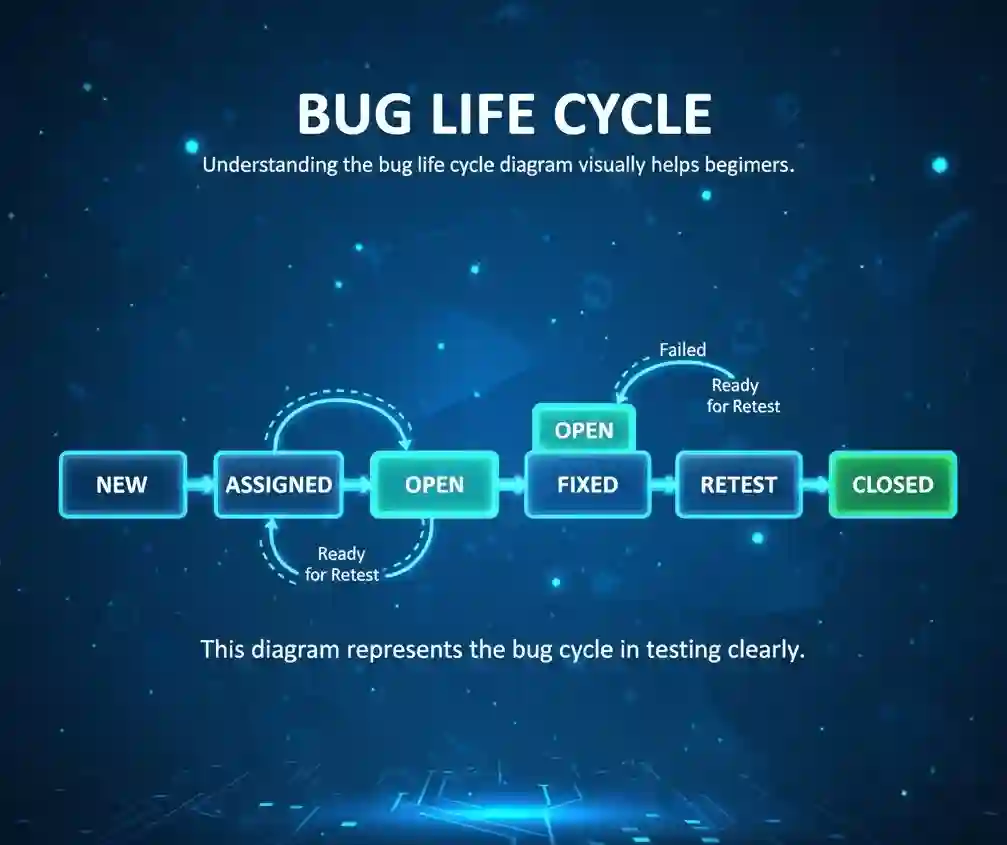
This diagram represents the bug cycle in testing clearly.
Best Practices for Managing Bug Life Cycle Effectively
Following best practices improves efficiency and reduces confusion.
These practices are essential for real projects and interviews.
- Write clear and detailed bug reports
- Set correct severity and priority
- Communicate clearly with developers
- Retest thoroughly before closing bugs
- Avoid duplicate bug reports
These best practices strengthen defect management.
Why Is Bug Life Cycle Important in Software Testing?
The bug life cycle in software testing ensures that no defect is ignored or lost. It brings structure and accountability to testing activities.
This process directly improves software quality.
- Ensures bugs are tracked properly
- Improves collaboration between teams
- Reduces production issues
- Increases customer satisfaction
Final Thoughts
Understanding the bug life cycle in software testing: stages, examples, and best practices is essential for anyone entering software testing. It is a core concept that appears in interviews, real projects, and daily QA work.
Mastering the defect life cycle in software testing helps testers work confidently, communicate effectively, and deliver better-quality software.
Frequently Asked Questions (FAQ)
1.Explain the bug life cycle stages in popular software testing tools?
In popular testing tools, the bug life cycle starts with defect logging, followed by review, assignment, fixing, retesting, and closure. Some tools also include statuses like rejected, duplicate, or deferred to manage bugs clearly throughout the testing and development process.
2.What are the key phases of a software defect lifecycle?
The key phases of a defect lifecycle include new, assigned, in progress, fixed, retested, and closed. In some cases, defects may be marked as rejected, duplicate, or postponed based on priority, severity, or business decisions during development.
3.Which software testing platforms offer bug tracking with life cycle management?
Several software testing platforms offer bug tracking with lifecycle management, including Jira, Bugzilla, Azure DevOps, Redmine, and Mantis. These tools help teams log defects, track status changes, assign ownership, and monitor bug resolution efficiently.
4.Best practices for effective bug reporting in agile projects.
Effective bug reporting in agile projects requires clear titles, simple reproduction steps, expected and actual results, screenshots, and environment details. Bugs should be logged quickly, discussed during stand-ups, and prioritized properly to support fast iterations and continuous delivery.
5.How can I automate bug life cycle tracking in Agile testing environments?
Bug life cycle tracking can be automated by integrating test automation tools with defect tracking systems. Automated test failures can create bugs automatically, update statuses, and notify teams through CI/CD pipelines, reducing manual effort and improving tracking accuracy.
6.Compare leading defect tracking tools for small teams
For small teams, tools like Jira, Trello with plugins, Bugzilla, and Mantis are commonly used. Jira offers advanced workflows, while Bugzilla and Mantis are lightweight and cost-effective. The right choice depends on team size, budget, and project complexity.
7.what is a bug life cycle in software testing
A bug life cycle in software testing describes the journey of a defect from identification to closure. It includes stages like reporting, assignment, fixing, retesting, and closing, ensuring defects are tracked, resolved properly, and do not impact software quality.
8.what is a bug in QA testing?
In QA testing, a bug is an error or flaw where the software behaves differently from expected results. Bugs can affect functionality, performance, security, or usability, and are identified by testers to ensure the application meets quality and user requirements.
9.What are the 7 stages of Test development
The seven stages of test development include requirement analysis, test planning, test design, test case creation, test environment setup, test execution, and test closure. These stages help testers plan, execute, and complete testing activities systematically.
10.what are the 7 stages of Testing ?
The seven stages of testing are requirement analysis, test planning, test case design, test environment setup, test execution, defect reporting, and test closure. Following these stages helps teams ensure thorough testing and consistent software quality across releases.